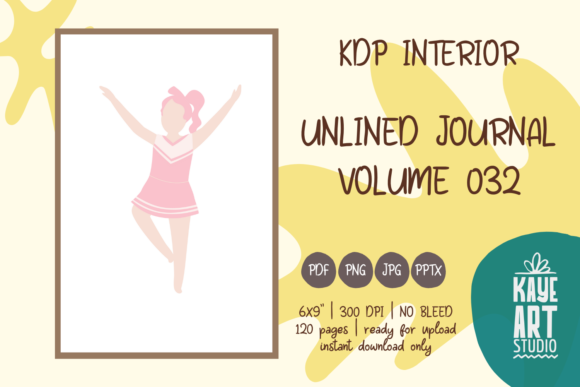
KDP Interior Unlined Journal Vol. 32: A Practical Guide to Avoiding Publishing Pitfalls
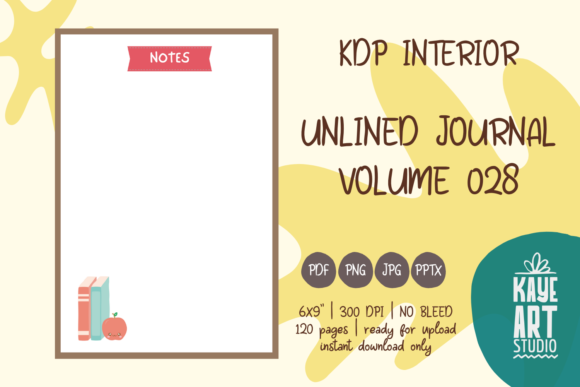
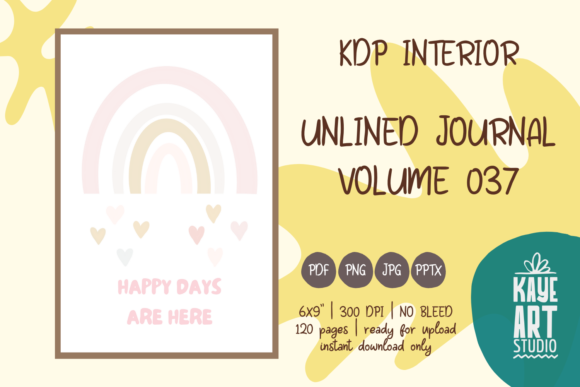
Creating a successful low-content book on Amazon requires more than just uploading a file; it demands precision in formatting and a clear understanding of what you are actually purchasing. KDP Interior Unlined Journal Vol. 32 offers a streamlined solution for publishers looking to add a classic, versatile notebook to their catalog. This specific volume provides a clean, unlined layout that appeals to sketchers, free-writers, and note-takers who find ruled lines restrictive. However, the simplicity of an unlined journal can be deceptive. Many creators assume that because the content is minimal, the technical requirements are lenient. This assumption often leads to rejected manuscripts, poor print quality, or customer dissatisfaction.
Before you integrate this interior into your publishing workflow, it is essential to understand exactly what this asset is and, more importantly, what it is not. KDP Interior Unlined Journal Vol. 32 is strictly an interior file package. It does not include a cover. You must design or commission a separate cover that matches the specific trim size and page count of this interior. Understanding this distinction is the first step toward a smooth publishing experience and a professional final product.
Clarifying the "No Bleed" Misunderstanding
One of the most frequent technical errors encountered with KDP Interior Unlined Journal Vol. 32 involves bleed settings. This specific interior is configured for NO BLEED. In printing terms, this means all content must stay within a defined safe zone, leaving a white margin around the entire edge of the page. A common mistake occurs when publishers attempt to stretch background elements, borders, or decorative headers to the very edge of the PDF canvas. When KDP processes a no-bleed file with edge-to-edge content, the system will either reject the file or shrink it disproportionately to create the necessary margins, ruining your layout.
To avoid this, always verify that your design software is set up correctly before making any modifications. Since this journal consists of blank pages, you might be tempted to add your own branding or page numbers later. If you do, ensure those elements remain at least 0.25 inches from the outer edges and 0.375 inches from the gutter (binding side). Respecting the no-bleed constraint ensures that your text and custom additions never get trimmed off during the physical manufacturing process. If you specifically require edge-to-edge printing for artistic reasons, this particular volume is not the correct choice, and you should seek a bleed-enabled template instead.
Resolution and File Format Integrity
Quality control is non-negotiable in print-on-demand publishing. KDP Interior Unlined Journal Vol. 32 is provided at 300 DPI, which is the industry standard for crisp, professional printing. A significant error arises when users convert these high-quality source files into lower-resolution formats to reduce file size or due to software limitations. Uploading a 72 DPI or 150 DPI version of this interior will result in pixelated lines, fuzzy text (if applicable), and a generally amateurish appearance. Customers expect clean paper stock, and digital artifacts on blank pages are immediately noticeable.
The package includes PNG, PDF, JPG, and PPTX formats to accommodate different workflows, but not all formats serve the same purpose. For direct upload to KDP, the PDF is typically the superior choice as it preserves vector sharpness and exact dimensions. Use the PPTX file only if you need to edit the master layout or add custom elements like logos or quotes, and always export back to a high-resolution PDF for the final upload. Treat the PNG and JPG files as reference images or marketing assets rather than print-ready interiors. Maintaining the original 300 DPI integrity throughout your editing process is vital for preserving the value of your book.
The Page Count and Cover Alignment Trap
This interior contains exactly 120 pages. This number is fixed and directly dictates your cover dimensions. A frustratingly common issue occurs when publishers modify the page count after downloading the file—perhaps deleting ten pages to save on printing costs or adding twenty pages of extra content—without recalculating their cover spine width. KDP’s cover calculator relies on precise page counts. A discrepancy of even a few pages can cause the spine text to shift onto the front or back cover, leading to automatic rejection or a misaligned physical book.
Always finalize your interior page count before starting your cover design. If you use KDP Interior Unlined Journal Vol. 32 as-is, set your cover template to 6×9 inches with 120 pages. If you alter the interior, you must generate a new cover template. Additionally, remember that this listing is for the interior only. Do not assume a generic 6×9 cover will fit perfectly without verification. Paper thickness varies between white and cream stock, and while this interior specifies its parameters, double-checking against KDP’s current cover calculator prevents costly reprints and delays.
Evaluating Usability for Your Target Audience
Beyond technical specifications, consider whether an unlined format truly serves your niche. While KDP Interior Unlined Journal Vol. 32 is versatile, it is not universally appropriate. Beginners often default to unlined journals thinking they are the safest option, but specific audiences prefer structure. For example, gratitude journals, fitness trackers, or academic notebooks usually benefit from dotted, lined, or prompted layouts. Publishing an unlined journal for a niche that expects guidance can lead to negative reviews citing "lack of utility."
Conversely, this unlined format excels for artists, vision boarding, mind mapping, and unrestricted journaling. Before listing, research competitor books in your chosen sub-niche. Read the three-star reviews to identify gaps. If customers complain that other unlined journals have paper that bleeds through or margins that are too narrow for binding, verify that this volume addresses those concerns. The 6×9 trim size is highly portable and popular, but ensure it aligns with your audience's expectations. A sketchbook user might prefer 8.5×11, while a traveler prioritizes the 6×9 form factor. Matching the product features to actual user needs is just as important as getting the bleed settings right.
Best Practices for Pre-Upload Verification
Even though the files in KDP Interior Unlined Journal Vol. 32 have been tested on KDP, your unique publishing environment introduces variables. Always download the KDP Previewer tool or use the online previewer before hitting publish. Do not rely solely on the "green checkmark" during upload. Visually inspect the first and last few pages, the gutter margins, and the overall centering. Sometimes, a file passes automated checks but still has visual anomalies that affect reader satisfaction.
- Verify Trim Size: Confirm your project settings match 6×9 inches exactly.
- Check Margins: Ensure no accidental marks exist outside the safe zone.
- Test Print: Order a proof copy to evaluate paper opacity and binding alignment physically.
- Cover Separation: Double-check that you are uploading the interior and cover as two distinct files.
Taking these corrective steps transforms a simple file download into a professional publishing asset. By respecting the technical constraints and understanding the specific application of KDP Interior Unlined Journal Vol. 32, you protect your brand reputation and provide genuine value to your readers. Success in low-content publishing comes from meticulous attention to detail, not just volume of output. Treat every interior with the same rigor you would apply to a full-length manuscript, and your results will reflect that professionalism.